Step 5: Re-skin the Site
The design lives in the Stationery, not in the jobs: point the three seeded jobs at Quantum Sync Midnight Stationery (the same design with midnight chrome), run the composition again, and every publication follows.
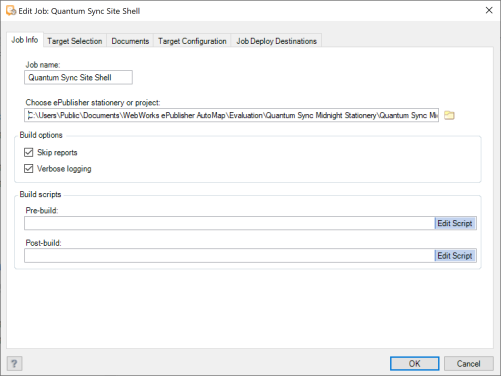
For each seeded job — Quantum Sync Site Shell, Quantum Sync Help, and Quantum Sync Release Notes — select it and choose Job > Edit.... On Job Info, under Choose ePublisher stationery or project: browse to
Documents\WebWorks ePublisher AutoMap\Evaluation\Quantum Sync Midnight Stationery\Quantum Sync Midnight Stationery.wxsp; click OK. The field shows the full path of the current Stationery; replace it.Select Quantum Sync Site and choose Job > Run.
Choose Job > Preview Output in Browser > Quantum Sync Site. The whole site now wears the midnight chrome (dark toolbar, sidebar and page frame, cyan accent); the content is unchanged.