Managing Overrides
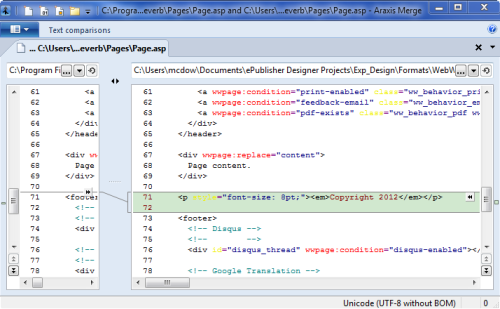
ePublisher assists you in the management of your project's overrides by graphically highlighting files that have been overridden as well as highlighting folders that contain files that have been overridden. In addition, ePublisher includes a built-in Diff viewer (also called a line-comparison tool) that intuitively displays what modifications have been made in your overridden file. If you prefer, you can also configure an external diff tool in Edit > Preferences > Diff.
To View File Differences
In your Stationery design project, on the Advanced menu, click Manage Format Customizations (or Target for target overrides).
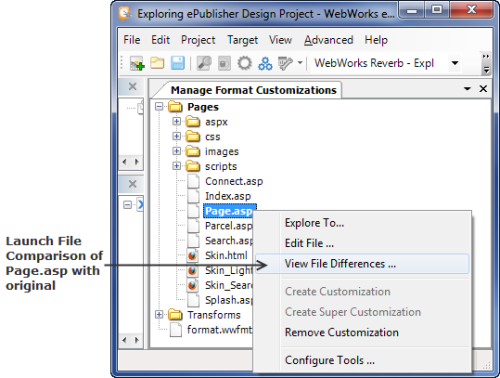
In the displayed collection of folders and files, navigate to the overridden file that you wish to compare and highlight it.
To compare the differences of the selected override, right click and select the View File Differences... menu. This will open the built-in Diff Viewer (or your configured external diff tool, if one is set) and automatically display the differences between your file and the original.
You can examine how your override is different from the original. In addition, you can modify your overridden file directly from within the Diff Viewer.