Benefits
Click to Zoom is particularly useful for:
Detailed Diagrams
Technical diagrams with labels, callouts, or fine details that require larger viewing for full comprehension.
Screenshots
Application screenshots where interface elements or text may be too small to read at standard documentation sizes.
Complex Graphics
Flowcharts, architecture diagrams, and other complex visuals that benefit from the ability to zoom in for detailed examination.
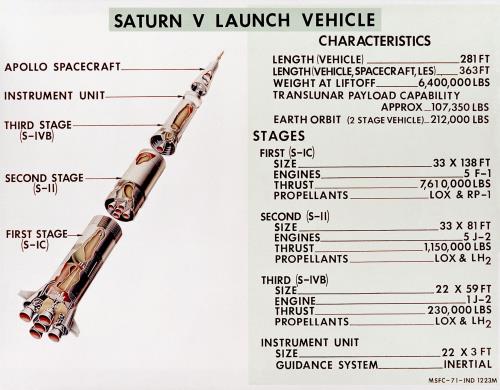
To see an example of Click to Zoom, hover over and click the image below.
Last modified date: 07/11/2026