Problems Installing ePublisher
This section helps you troubleshoot issues related to installing ePublisher.
Error: Please Close all Running Sessions of Microsoft Word
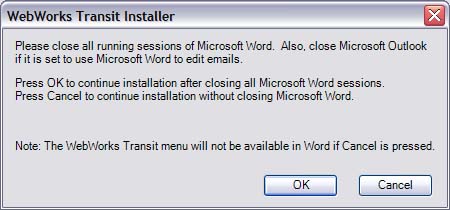
If you have any Microsoft Office processes running when installing ePublisher, including instances of Microsoft Word and Microsoft Outlook, ePublisher displays the following error message.
To resolve this issue
- Close any running instances of Microsoft Word.
- Close Microsoft Outlook.
- Open Task Manager.
- Click on the Processes tab.
- Search for
WINWORD.EXE. You can click on the Image Name column to sort the processes alphabetically. - If there is a
WINWORD.EXEprocess running, complete the following steps:- Select
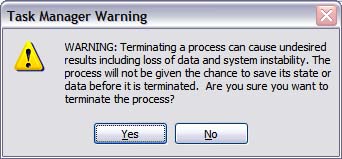
WINWORD.EXE. - Click End Process to close all running Word processes. Task Manager displays the following warning.
- Click Yes.
- Close Task Manager, and then proceed with your ePublisher installation.
- If there are no
WINWORD.EXEprocesses running, proceed with your ePublisher installation.
Last modified date: 06/23/2026