Specifying Output Destinations for Targets
After you create an output destination, you must associate the output destination with a target before you can deploy output.
To specify an output destination for a target
On the Project menu, select the target next to Active Target for which you want to specify an output destination.
On the Target menu, click Target Settings.
In the Deploy to field, select an output destination.
Note: You must create an output destination before you can specify an output destination for a target. For more information about creating output destinations, see Creating Output Destinations.
(Optional) In the Deploy field, select which slice of the generated output deployments publish:
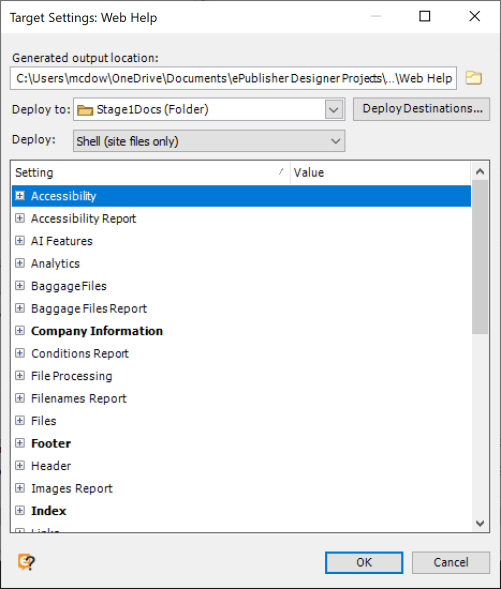
Choose Everything (complete site) (the default), Groups (content only), or Shell (site files only). The scoped options support federated parcel composition in WebWorks Reverb 2.0; for formats that do not support federation the field is disabled and deployments always publish everything. For more information, see Federated Parcel Composition.
Click OK.
After you specify an output destination for a target, you can generate output and deploy the output to the output destination.