How do I disable automatic Preview generation in Designer?
In ePublisher Designer's Document Manager, to disable the automatic generation of Preview tabs each time a document is added, do the following:
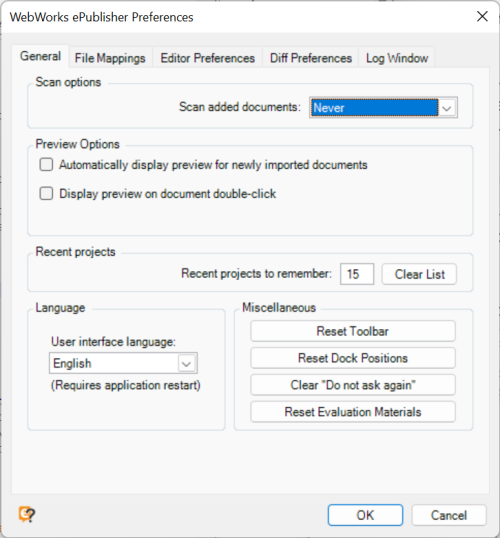
Open the Preferences dialog using menu: Edit > Preferences.
Uncheck Automatically display preview for newly imported documents.
Select OK
In addition, you can disable generation of Preview tabs when double-clicking documents in the Document Manager by also unchecking:
Display preview on document double-click
Last modified date: 2026-01-29